
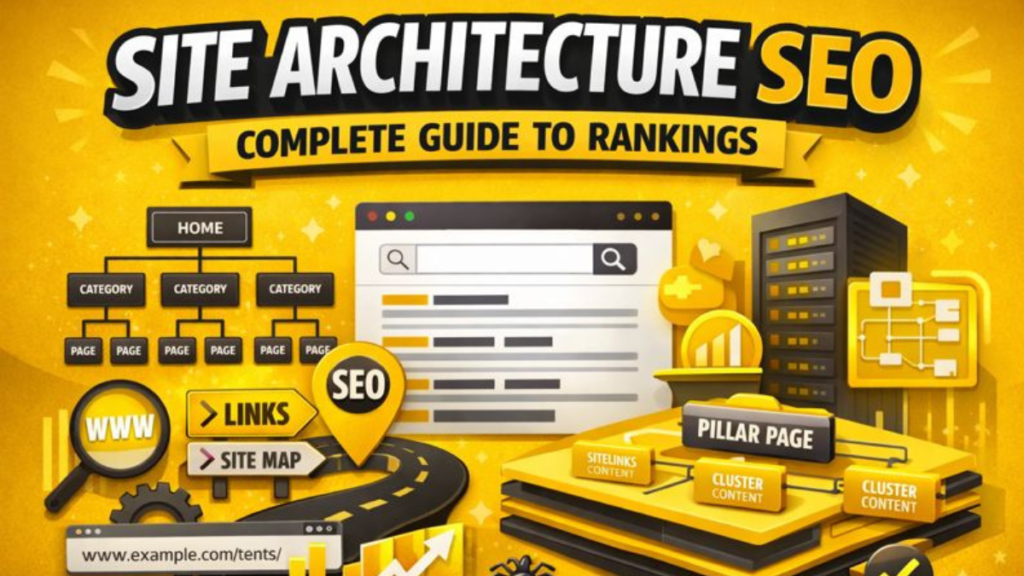
When people build or improve a website, they usually think about keywords, content quality, and backlinks. Site architecture is a basic part of SEO that can make or break your success. Imagine your website as a city. Both residents (users) and visitors (search engine crawlers) will have a hard time getting around and finding what they need if the roads aren’t well-planned, the signs aren’t clear, and the organization isn’t logical.
Site architecture SEO is the planned way that the pages on your website are set up and how they link to each other through internal links. A site that is well-organized makes it easy for users to find useful content and for search engines to find, crawl, and index all of the important pages. Studies show that organized clusters get about 30% more organic traffic and stay at the top of search results for 2.5 times as long as standalone pieces.
This complete guide will show you everything you need to know about making your site’s structure as SEO-friendly as possible.
What Is Site Architecture SEO?
Site architecture SEO is the way your website’s pages are set up, organized, and linked together with the goal of improving search engine rankings. A site that is well-organized makes it easier for people and search engines to find their way around your pages and understand how they are related to each other.
There are a few important parts that make up the architecture of your site:
- Hierarchical Organization: How pages are put into groups and subgroups
- Internal Linking Structure: The way that hyperlinks connect pages to each other
- URL Structure: The path that tells your domain where pages are located • Navigation Menus: The paths that users can see to explore your site
- Click Depth: the number of clicks it takes to get to any page from the homepage
Search engine crawlers find new pages on your website by following links within the site. Search engine spiders can find and index all of your website’s pages more easily if the site architecture is optimized. If your content isn’t organized well, it might not be seen by the people you want to see it or show up in search results.
Why Site Architecture Matters for SEO
If you want to improve your search visibility, you need to know how important site architecture is. Here are the main reasons why site architecture SEO should be at the top of your list:
Better crawling and indexing
Search engines can only rank pages that they have crawled and indexed. If your site has good architecture, your pages will show up higher in search results. Google often uses links within its own pages to find other pages and add them to its index. When your architecture makes sense and all the parts are connected, crawlers can find all your content quickly and without wasting crawl budget.
Better distribution of link authority
Site structure sends link authority to different parts of your website. Pages that get a lot of backlinks, like your homepage and popular content, can pass their authority to other important pages through internal links. A flat structure makes sure that this link equity flows smoothly to the pages you want to rank.
A Better Experience for Users
The way your site is set up has a direct effect on how easily people can find what they’re looking for. People who visit your website should know where to go next without having to think about it. Clear hierarchy and navigation make things easier, lower bounce rates, and raise engagement metrics. All of these things have an indirect effect on your SEO performance.
Gives you authority on a topic
Google’s core update in June 2025 made topical authority even more important by giving sites that cover a topic thoroughly, consistently, and credibly more weight. When you group your content by topic, it shows that you know a lot about it, which tells search engines that your site is a useful resource.
Makes Search Results with Sitelinks
SEO architecture has the extra benefit of sitelinks. When your sitelinks show up in search results, they take up more space on the page, which is an extra benefit. When search engines see a clear hierarchy and well-connected structure, they add these extra links
Flat vs. Deep Site Architecture
Choosing between flat and deep structures is one of the most important things to do for site architecture SEO. Knowing the difference can have a huge effect on how well you search.
Flat Site Design
A flat web page structure means that people (and search engine crawlers) can get to any page on your site in four clicks or less. This structure keeps important content near the homepage, which makes sure it gets the most attention and authority.
Advantages of Flat Architecture:
• All pages can be crawled and indexed faster
• Link authority from high-authority pages is better spread out
• Important content is easier for users to find
• Crawl budget efficiency is maximized
• Pages are more likely to earn rankings
Best for:
• Websites that are small to medium-sized
• Blogs and content sites
• Websites for service-based businesses
• E-commerce sites with a small number of product categories
Deep Site Design
Pages that are four or more clicks away from the homepage are in a deep architecture. This can make it harder to find content, but it’s sometimes necessary for big websites with thousands of pages.
When Deep Architecture Works:
• Big e-commerce sites with a lot of products
• News sites with a lot of old articles
• Business websites with complicated organizational structures
But even on big sites, flattening is worth the time for pages that are most important, like evergreen resources, high-value categories, and important conversion paths.
Best Practices for Optimizing Site Architecture SEO
Now that you understand the fundamentals, let’s explore actionable strategies to optimize your website’s structure for maximum SEO impact.
1. Plan a Logical Hierarchy
Start by map out your site’s hierarchy before creating content. Your structure should follow a clear pattern:
Homepage → Main Categories → Subcategories → Individual Pages
With a simple site architecture, content is arranged in a logical hierarchy. Each level should represent a natural progression from broad topics to specific details.
For example, an e-commerce site selling outdoor gear might structure like this:
- Homepage
- Camping (Category)
- Tents (Subcategory)
- 2-Person Tents (Product Page)
- 4-Person Tents (Product Page)
- Sleeping Bags (Subcategory)
- Tents (Subcategory)
- Camping (Category)
2. Optimize URL Structure
Your URLs should reflect your site’s hierarchy and be easily understood by both users and search engines. Keywords in a URL reinforce relevance, but only when used sparingly.
Best practices for URLs:
- Keep them small and descriptive
- Use hyphens for separate words
- Include your primary keyword naturally
- Avoid unnecessary parameters and numbers
- Maintain consistency in your whole site
Good example: yoursite.com/camping/tents/2-person-tents
Bad example: yoursite.com/product?id=12345&cat=outdoor
3. Implement Strategic Internal Linking
You want to link to your category pages from a navigation menu and from category pages to individual pages in that category. But internal linking goes beyond navigation.
Internal Linking Guidelines:
• Use descriptive anchor text must includes relevant keywords
• Link from high authority pages to important target pages
• Create contextual links inbetween your content
• Avoid overloading pages with more links
• Ensure all pages have at least 1 internal link pointing to them
4. Make XML and HTML sitemaps
A site architecture map is a file that shows all the pages of your website and how they are connected with each other. By using both type of sitemaps, you can make sure all pages are covered properly.
HTML Sitemaps are normal web pages that shows all the URLs of your site to users. Mostly it will be placed in the footer section. This helps visitors to find useful content which they may not discover easily.
XML Sitemaps are files which search engines can read easily and it contains list of all important URLs along with some extra page information. These sitemaps helps search engine crawlers to find and index your content faster.
5. Prevent Orphan Pages
Search engines use internal links to move around your website and sometimes they may miss orphan pages. Users usually can reach orphan pages only by typing the URL directly in the browser. Orphan pages are present on your server but there is no internal links pointing to them, so they become almost invisible.
How to identify and fix orphan pages:
- Decide if low value orphan pages really need to be kept or should be deleted
- Use SEO audit tools to scan your website
- Compare your XML sitemap with the pages that are actually crawled
- Add internal links from related or relevant content
- Include orphan pages in navigation menu or footer area
6. Implement Topic Clusters and Pillar Pages
Content that is grouped into clusters can bring around 30% more organic traffic and also helps pages to hold rankings almost 2.5x longer compared to single standalone content. This is a modern method of site architecture where content is organized around main topics.
Topic Cluster Structure:
Pillar Page: A detailed guide that covers a broad topic completely (for example, “Complete Guide to Email Marketing”)
Cluster Pages: Individual articles that go deep into specific subtopics (such as “Email Segmentation Strategies” or “A/B Testing Subject Lines”)
Strategic Linking: The connection between pages is done using contextual internal links with proper anchor text, which helps search engines understand the relationship between topics
This type of structure shows topical authority to search engines and also makes it easier for users to find related content on your site.
7. Optimize for Mobile-First Architecture
As mobile traffic is dominating in most of the websites now days, having a responsive architecture is not optional anymore. Your site structure should work smoothly in all type of devices without any issues.
- Test click depth and accessibility on mobile device time to time
- Use responsive design frameworks for better layout
- Keep navigation very simple for small screen device
- Optimize images and media files so loading speed will be fast
8. Monitor Click Depth
Try to maintain click depth of three clicks or less from the homepage to reach any important page. Each extra click creates another difficulty for users to find your content.
Strategies to reduce click depth:
- Add relevant internal links across your contents
- Highlight important pages directly from homepage itself
- Use breadcrumb navigation to improve user flow
- Create well planned category landing page
Common Site Architecture Mistakes to Avoid
Even experienced website owners sometimes make critical mistakes that can affect their SEO efforts badly. Below are some of the most common problems I usually see.
Over-Complicated Navigation
I can’t even count how many times I’ve seen websites with very complicated site architecture. Too much complex navigation ends up confusing users and also spreads link authority across many unnecessary pages.
Inconsistent URL Structure
Changing URLs just for cosmetic or design reason creates redirect chains and slowly reduces link equity. It’s always better to choose a proper URL structure in beginning and stick with it.
Keyword Stuffing in URLs
URLs like /seo-seo-site-architecture-optimization-seo looks unnatural and manipulative. Search engines are smart enough to detect these kind of manipulation and may penalize the site.
Ignoring Duplicate Content
Having multiple URLs showing the same content wastes crawl budget and also confuses search engines on which page they should rank.
Neglecting Breadcrumb Navigation
Breadcrumbs show the path a user has taken to reach a particular page. They works as a navigation tool by listing links that guide users back to where they started. This helps to improve both user experience and site crawlability.
Site Architecture SEO Tools and Analysis
| Tool | Primary Function | Best For |
| Google Search Console | Submit sitemaps, monitor crawl errors | Identifying indexation issues |
| Screaming Frog SEO Spider | Crawl your site like search engines | Analyzing internal link structure |
| Semrush Site Audit | Comprehensive site analysis | Finding orphan pages and technical issues |
| Ahrefs Site Audit | Link analysis and site structure | Discovering broken links and optimization opportunities |
| Sitebulb | Visual site structure mapping | Understanding site architecture at a glance |
Measuring Site Architecture Success
Track below key metrics to evaluate how well your site architecture improvements are working:
Crawl Statistics: Monitor crawl rate and coverage inside Google Search Console. If coverage is increasing, it usually means better discoverability of your pages.
Indexation Rate: Calculate the percentage of pages that are successfully indexed by search engines. Higher index rate normally suggest your architecture is effective.
Organic Traffic Growth: Track overall organic sessions and also page level traffic improvements over time.
Bounce Rate and Dwell Time: Lower bounce rate and longer dwell time shows that users are having better experience because of improved navigation.
Keyword Rankings: Monitor rankings of your target keywords, mainly for pillar pages and cluster based content.
Internal Link Distribution: Analyze how link authority is flowing through your site by using tools like Ahrefs or Moz.
Site Architecture for AI and Modern Search
Earlier search engine crawlers only needed pages to be accessible properly. But now AI models also need the content to be understandable on chunk level and cluster level. As search is evolving more with AI based understanding, site architecture is becoming much more critical than before.
Modern search engines are using large language models (LLMs) to understand content context and relation between different pages. A clear hierarchy, breadcrumb trails and descriptive navigation gives signals to AI models about how the content is connected with each other.
Future proofing your site architecture:
- Give priority to semantic clarity along with crawlability
- Use more descriptive and context rich headings and labels
- Implement structured data wherever it makes sense
- Create clear content relationship by proper internal linking
- Think how AI models combines topical authority from your content
Conclusion:
Site architecture SEO is not a one time setup, it is an ongoing strategic advantage for any website. By implementing a flat and logical structure with proper internal linking and topic clusters, you create a strong foundation that supports both short term SEO results and long term growth.
Websites that dominate the search results are not always the ones having more content or big budgets. Mostly they are the sites which have well organized, user friendly architecture that search engines can crawl and understand easily.
You should start by auditing your current site structure and finding quick wins such as orphan pages or broken links, then slowly apply the best practices that are explained in this guide. Whether you are building a new website or optimizing an existing one, having proper site architecture will boost all other SEO efforts you do.
Remember, creating a clear and intentional hierarchy for your website sends strong signals about which content is important and how it is connected with other pages on your site. Once you master site architecture, you will create a competitive advantage that is very hard for competitors to copy.